How to Stop Google Personalizing Ads with Your Photos, Emails, and Files
As reported by Android Authority, Google updated their privacy policy to let them use your photos, emails, and files to personalize ads. They only do this when Personal Intelligence is enabled, which gives Gemini, their AI, access to data across your Google account, including your photos, emails, files, Google search history, YouTube watch history, location details, and more. Google may have already tricked you into enabling it as tech companies are famous for.
Here are instructions to opt out from this data usage. Below that are recommendations for alternatives to Google services; the best way to protect yourself is to stop using Google products altogether.
How to Stop Using Your Data to Personalize Google’s Ads
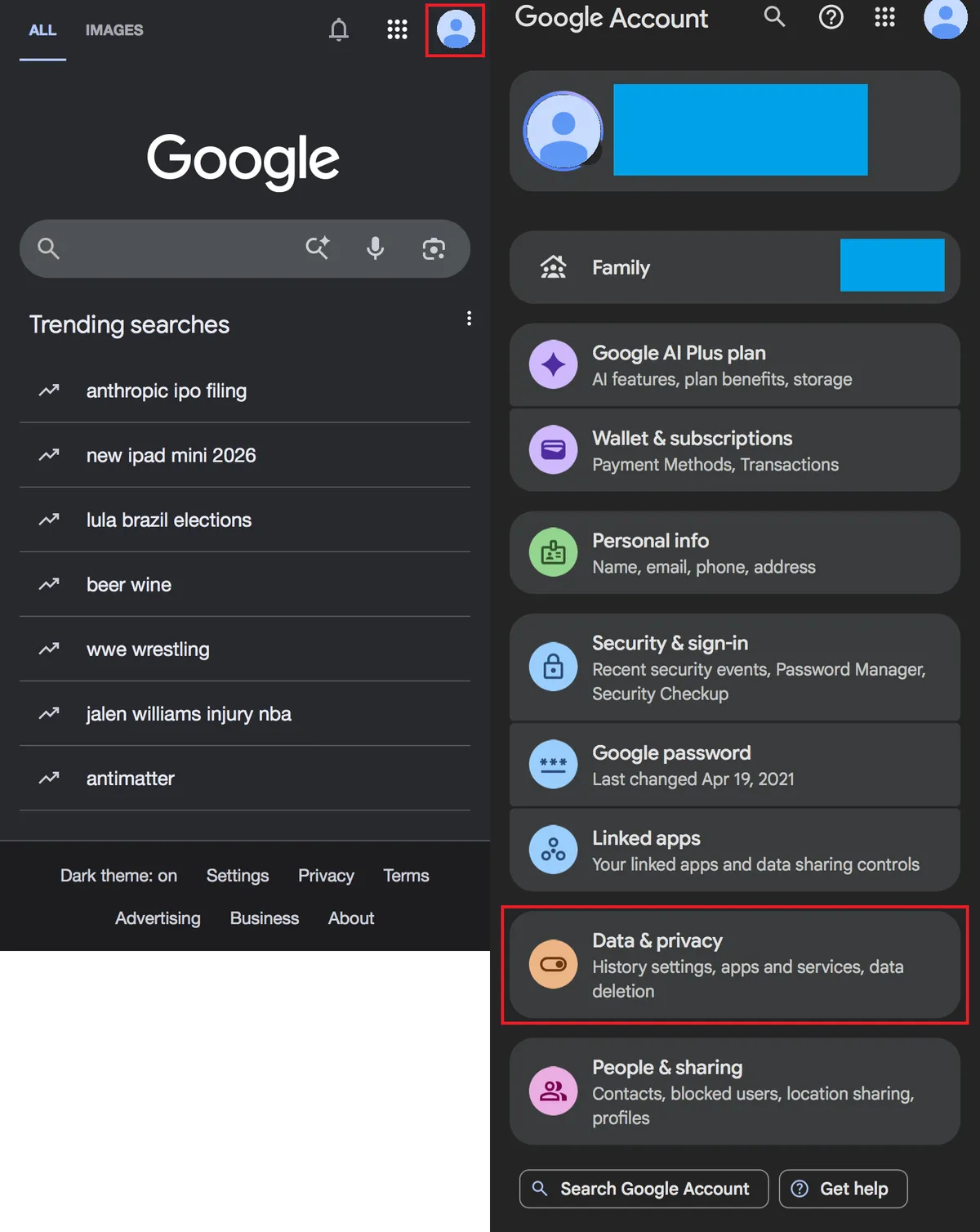
- Open Google > select your profile photo in the top right.
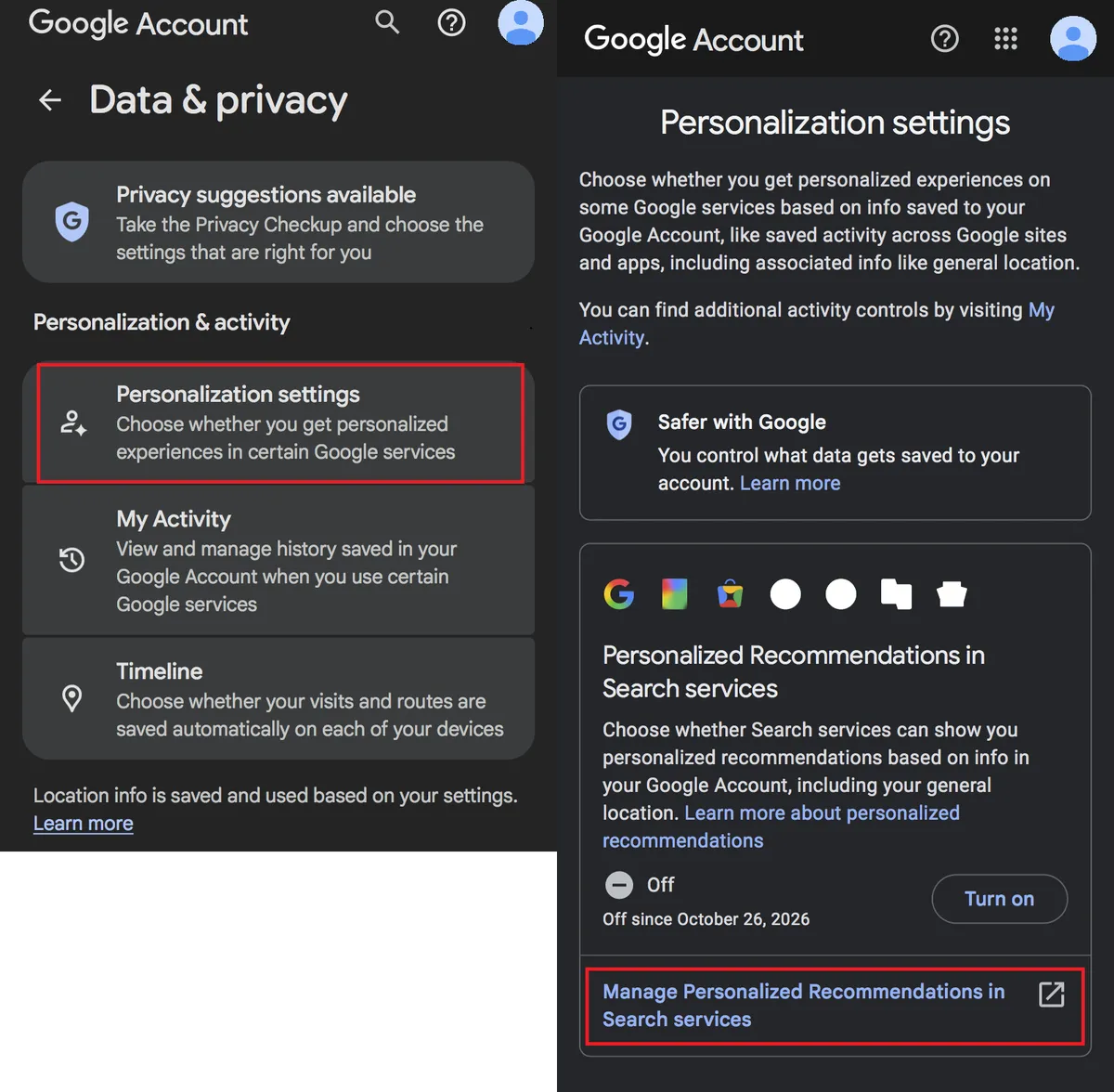
- Select Data & privacy > Personalization settings.
- Click Manage Personalized Recommendations in Search Services under the first section Personalized Recommendations in Search services.
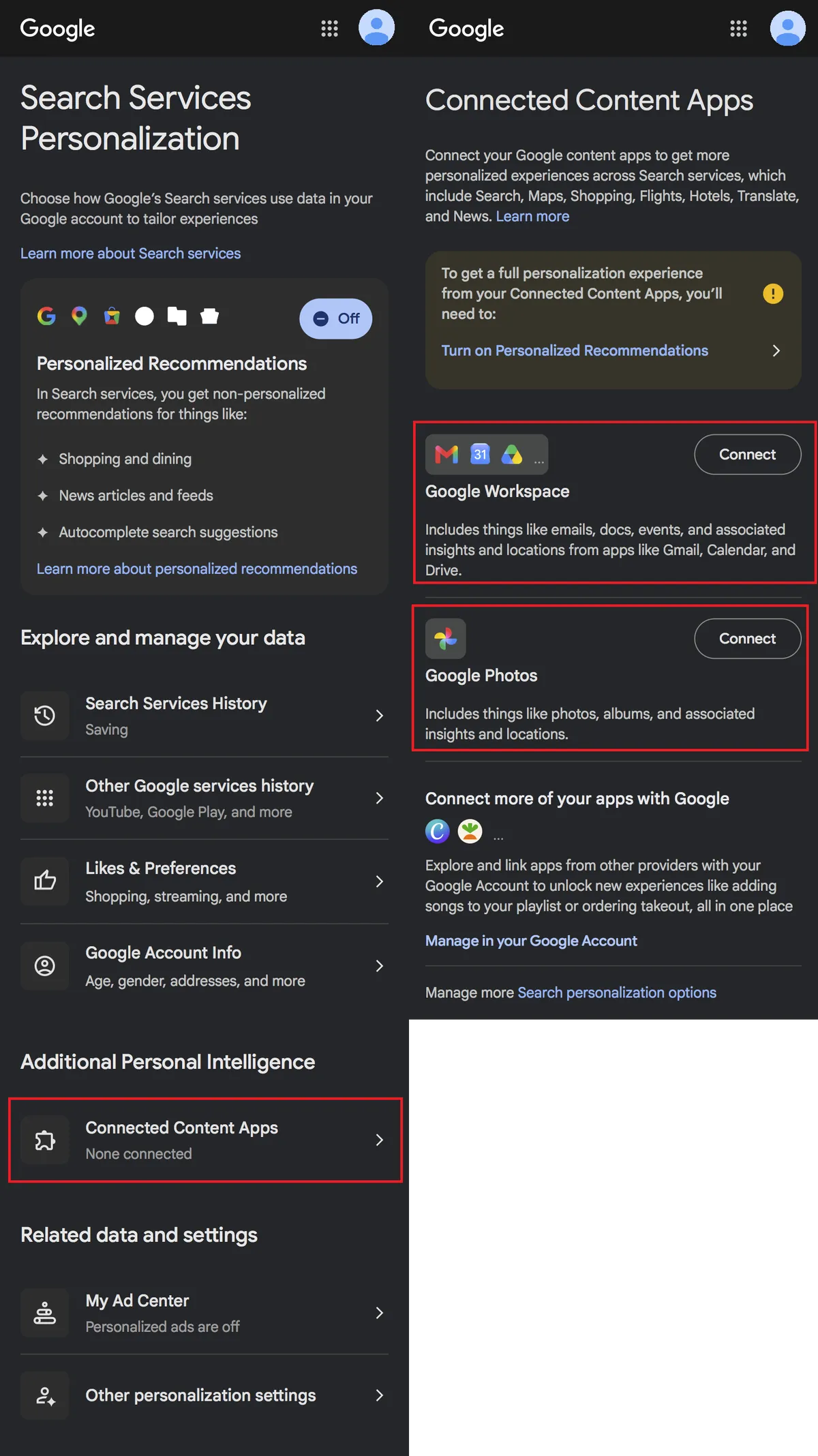
- Select Connected Content Apps.
- Disconnect Google Workspace, Google Photos, and anything else that shows up on this menu.
Done! See the screenshots below if you’d like a visual reference. Otherwise, scroll down or click to see the recommended alternatives.
Screenshots
Open Google > profile photo > Data & privacy.
Personalization settings > Manage Personalized Recommendations in Search services
Connected Content Apps > Disconnect Google Workspace, Google Photos, and anything else on this page
Alternatives
The alternatives listed below are a quick list of my recommendations. Unless mentioned otherwise, they are paid. If something is free, you are usually the product.
The only way Google can afford to run services like Gmail, Drive, and Google Search is by selling ads and tracking your every move. This practice has unfortunately been normalized for so long that we have come to expect everything to be free.
Besides, many of these alternatives are nicer to use and more feature-rich than Google’s offerings anyway. 😉
Gmail
Fastmail is my favorite option here. While it does cost $5 per month, you get a lot for your money. Your data stays private, searching for an email is fast and accurate, and filtering rules are powerful and easy to use. Plus, they have neat features like private memos, email snooze, and more.
Google Photos
If you are an Apple user, using Apple Photos paying for extra storage on iCloud+ is not a bad way to go. Apple is a hardware and services company, not an advertising company like Google. Plus, if you want extra peace of mind, you can enable Advanced Data Protection for end-to-end encryption. As mentioned in the linked Apple article though, just be sure to set up a few account recovery methods so you don't lose access to your photos.
If you're not an Apple user, Ente Photos is a good option. They're open source, meaning the nerd community can contribute to the project and ensure they aren't doing anything nefarious behind the scenes. Ente is also end-to-end encrypted though, so make sure to save your recovery key to prevent data loss. It's a good idea to save it in a password manager, write it down on a piece of paper, and perhaps even save it in one more place.
Google Drive
Again, if you're an Apple user, then iCloud Drive is a good option. You can even use Pages, Numbers, and Keynote for document editing.
Otherwise, Proton Drive is a decent option, as they also have their own alternatives to Docs and Sheets.